File Storage

Object storage that enforces your rules

Buckets per project, objects private until you say otherwise, and access decided by policies written against the signed-in caller.

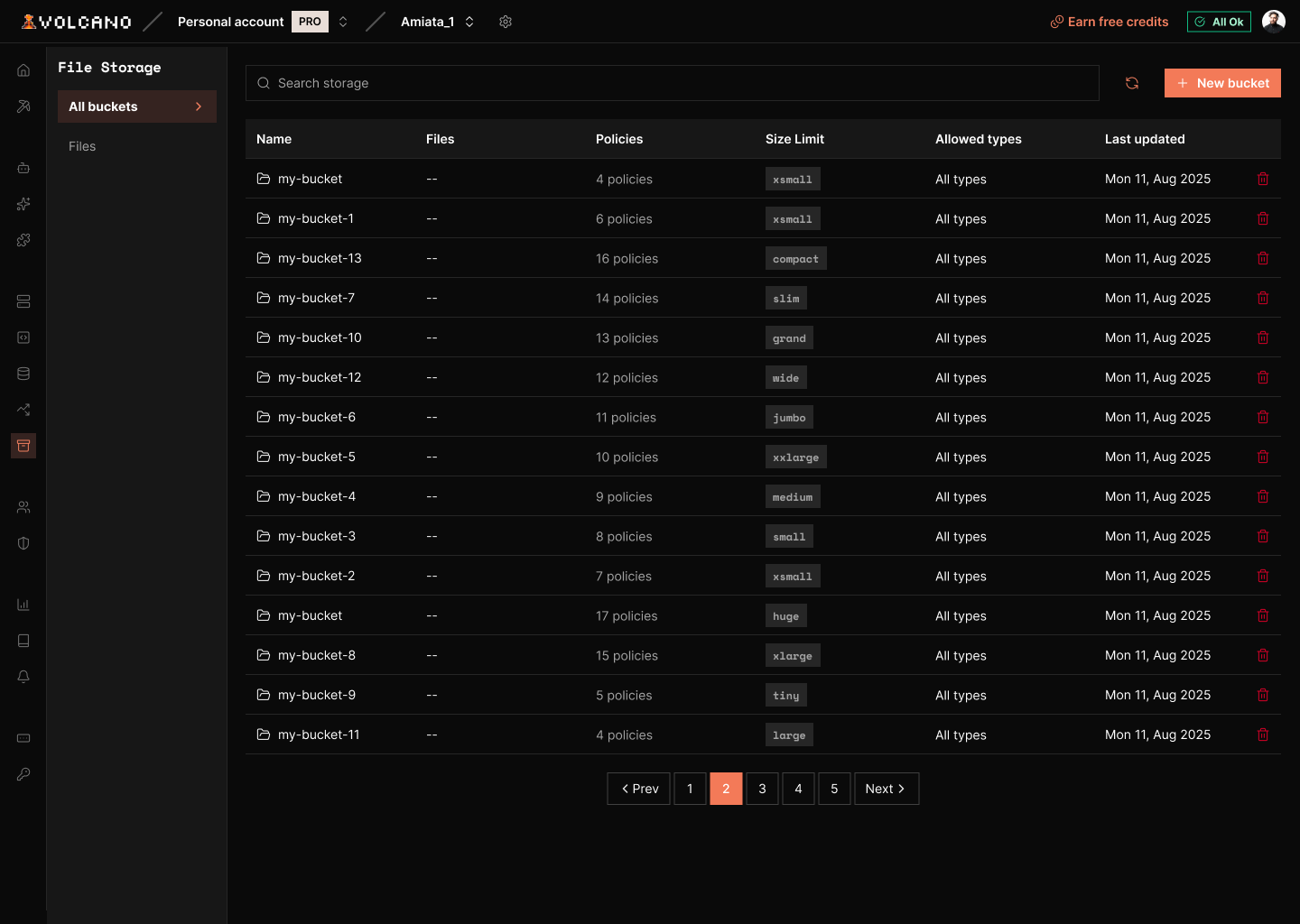
File Storage product screenshot
storage
volcano cloud storage bucket create user-files --file-size-limit 26214400✓ user-files created · objects private by defaultvolcano cloud storage policy create user-files --name own-read \  --operation SELECT --definition "auth.uid() = owner_id"✓ policy own-read · SELECTvolcano cloud storage object upload user-files ./report.pdf 8f1c/report.pdf✓ uploaded 4.2 MB · privatevolcano cloud storage object visibility user-files 8f1c/report.pdf --publicis_public true · served from its public URL# every other object in the bucket still needs an authorized request
Overview

Most of the work is not the bucket

Getting a bucket takes a minute. The rest takes a week: an endpoint to sign uploads, a rule that keeps each user under their own prefix, a size and type check that actually runs on the server, and a way to publish one file without exposing the twelve next to it.

Volcano gives each project buckets whose objects are private until you say otherwise. Access is decided by per-bucket policies, written in the same style as Postgres row-level security and referencing the caller through auth.uid(). The browser uploads directly with the user's session, so there is no signing service in the path.

Access

Rules that read like your table policies

Each bucket carries a policy per operation: SELECT, INSERT, UPDATE, DELETE. A definition is a SQL-style expression over the caller and the object, so auth.uid() = owner_id is the whole rule for owner-only files. A bucket with no policy for an operation refuses it.

  • One policy per operation: SELECT, INSERT, UPDATE, DELETE
  • Match on the owner, the path, or the file extension
  • Enforced in the storage layer, not your form
volcano cloud storage policy
# owner-only reads, written as one SQL expressionvolcano cloud storage policy create user-files --name own-read \  --operation SELECT --definition "auth.uid() = owner_id"✓ policy own-readvolcano cloud storage policy list user-filesown-read SELECT · own-write INSERT · own-delete DELETE
Visibility

Public is a flag on the file

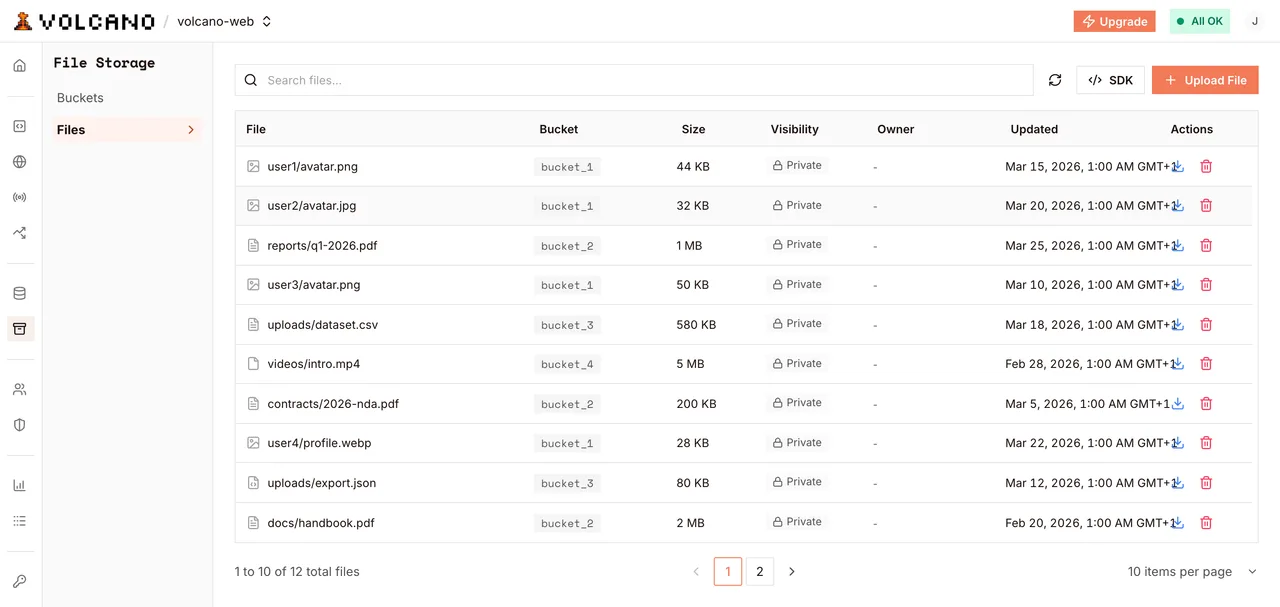
Every object carries an is_public flag that starts false. Set it on one file and that file is served from a stable public URL, while the objects beside it in the same bucket still require an authorized request.

  • is_public is false on every new object
  • updateVisibility flips one object either way
  • The response carries the object's public_url
volcano.dev/dashboard/file-storage
Objects in a bucket, each with its own visibility
Large files

Uploads that resume

uploadResumable splits a file into parts and reports progress as they land. When the connection drops, the session continues from the last completed part instead of starting the transfer over.

  • partSize and onProgress are yours to set
  • Resume without re-sending completed parts
  • One stream tops out at 5 GB; resumable goes past it
resumable upload
uploadResumable('8f1c/keynote.mp4', file, { partSize: 8388608 })part  1/74   1%part 38/74  51%   ← connection droppedresumed at part 38 · completed parts kept✓ 1.8 GB uploaded · object ready
Capabilities

What storage covers

Per-project buckets

Buckets are scoped to one project, each with its own policies and constraints.

Private by default

An object is unreadable without an authorized request until you set is_public on it.

Per-bucket policies

Per-operation rules written against auth.uid(), the same helper your table policies use.

Direct browser uploads

The SDK sends a File, Blob or ArrayBuffer from the page using the user's session.

Resumable multipart

Create, resume and abort upload sessions, or use uploadResumable and let the SDK drive them.

Bucket constraints

Give a bucket an allowed MIME type list and a file size limit of its own.

Code

Upload it, restrict it, manage it

TypeScript
import { VolcanoAuth } from '@volcano.dev/sdk'; const volcano = new VolcanoAuth({ apiUrl: process.env.NEXT_PUBLIC_VOLCANO_API_URL!, anonKey: process.env.NEXT_PUBLIC_VOLCANO_ANON_KEY!, }); const bucket = volcano.storage.from('user-files'); export async function uploadForUser(userId: string, file: File) { const path = userId + '/' + file.name; // A single upload stream is capped at 5 GB, and progress is worth having // long before that, so anything sizeable takes the resumable path. if (file.size > 100 * 1024 * 1024) { return bucket.uploadResumable(path, file, { partSize: 8 * 1024 * 1024, onProgress: (sent, total) => setPercent(Math.round((sent / total) * 100)), }); } // File, Blob or ArrayBuffer. Not a Node Buffer and not a stream. return bucket.upload(path, file, { contentType: file.type }); }
Use cases

What people store in it

two requests, one policy
upload user-files/8f1c/avatar.png    (session 8f1c…)200  storedupload user-files/9a2b/avatar.png    (session 8f1c…)403  policy deniedthe storage layer decided, not the client
Platform

Works with the rest of Volcano

Authentication
  • The caller in your rules

    auth.uid() in a storage policy is the user Volcano signed in, the same value your table policies see.

Databases and vector
  • File metadata in Postgres

    Keep the row that describes a file in Postgres, protected by a policy that matches the one on the object.

Functions and agents
  • Processing after upload

    Download an object inside a function and transform it there, using /tmp for the intermediate files.

Next.js frontends
  • Serving from your app

    Render public objects directly, and read private ones through a route that has the caller's session.

Frequently asked questions

Read the docs
Are files private by default?

Yes. Every object lands with is_public set to false and stays unreadable until a policy allows the caller or you publish that specific object.

Can the browser upload without a signing service?

Yes. The SDK uploads directly with the user's session and the storage layer applies your policies, so there is no signing endpoint to run and no pre-signed URL to mint.

How large can a file be?

A single upload stream is capped at 5 GB, so anything larger goes through uploadResumable, which sends the file in parts and continues after a dropped connection. Per-object and per-project storage sizes depend on the plan and are listed on the pricing page.

What can a bucket restrict on its own?

A bucket can carry an allowed MIME type list and its own file size limit, both checked on the server. Those run before your policies, so a wrong-typed upload never reaches them.

How do I share one file publicly?

Call updateVisibility(path, true) from the SDK, or volcano cloud storage object visibility <bucket> <path> --public from the CLI. The response carries the object's public_url, a stable link that needs no token.

Can I process a file after it is uploaded?

Yes. Invoke a function with the bucket and path, download the object there, and do the work with up to 180 seconds and a writable /tmp to hold the intermediate files.

Ready to store your first file?

Build, deploy, and scale on Volcano's global platform — free to start, with no infrastructure to manage.

Checkout more features